Turn Your Documents Into Expense Reports

Stop manually copying information from receipts and invoices into spreadsheets. LedgerDocs Expense Reports automatically extracts key details from your documents and turns them into an organized, editable report, complete with supporting documentation.

Skip the Spreadsheet. Start With Your Documents.

Creating an expense report shouldn’t mean starting with a blank Excel template and entering every expense by hand.
With LedgerDocs, simply select the receipts, invoices, and other documents you want to include. LedgerDocs uses proprietary document intelligence to extract important information like:

● Vendor
● Customer
● Subtotal
● Tax
● Total

The information is organized into a spreadsheet-style report that you can review and edit directly in LedgerDocs.

Create an Expense Report in 3 Simple Steps
expensereports2

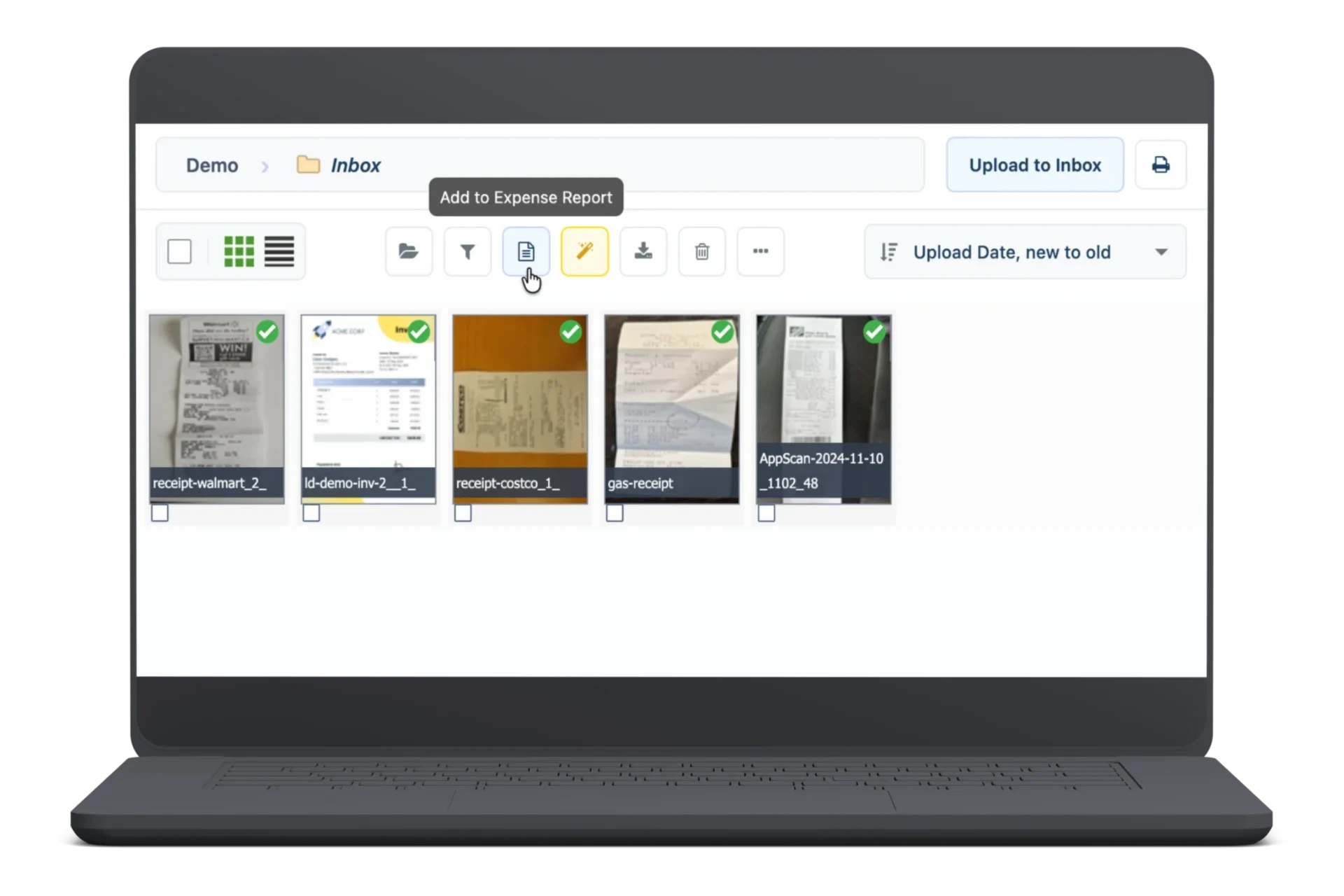
1. Select Your Documents

Choose the receipts, invoices, or other supporting documents you want to include in your report.

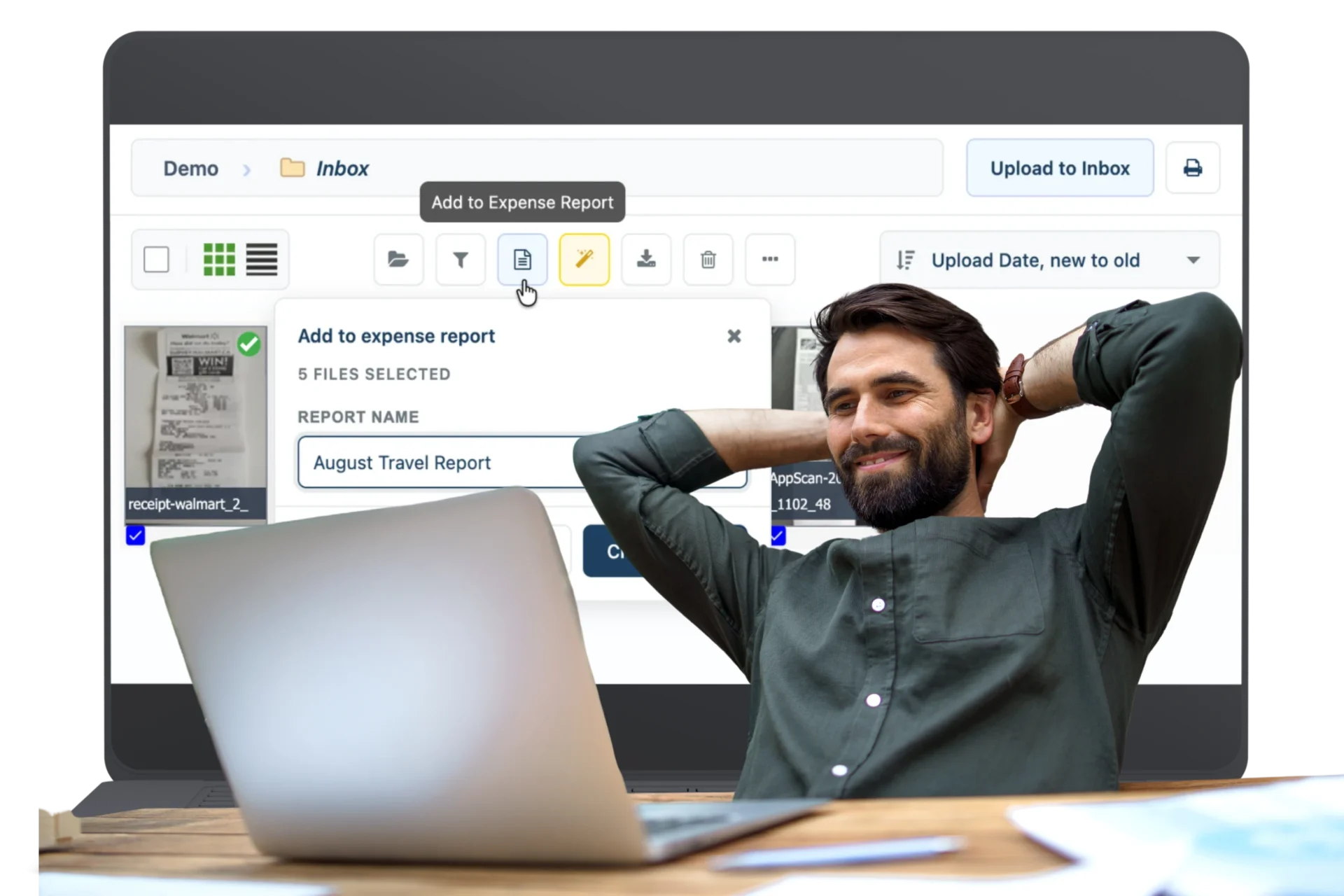
2. Build Your Report

Click Add to Expense Report, create a new report or add to an existing one, and let LedgerDocs extract the key information.
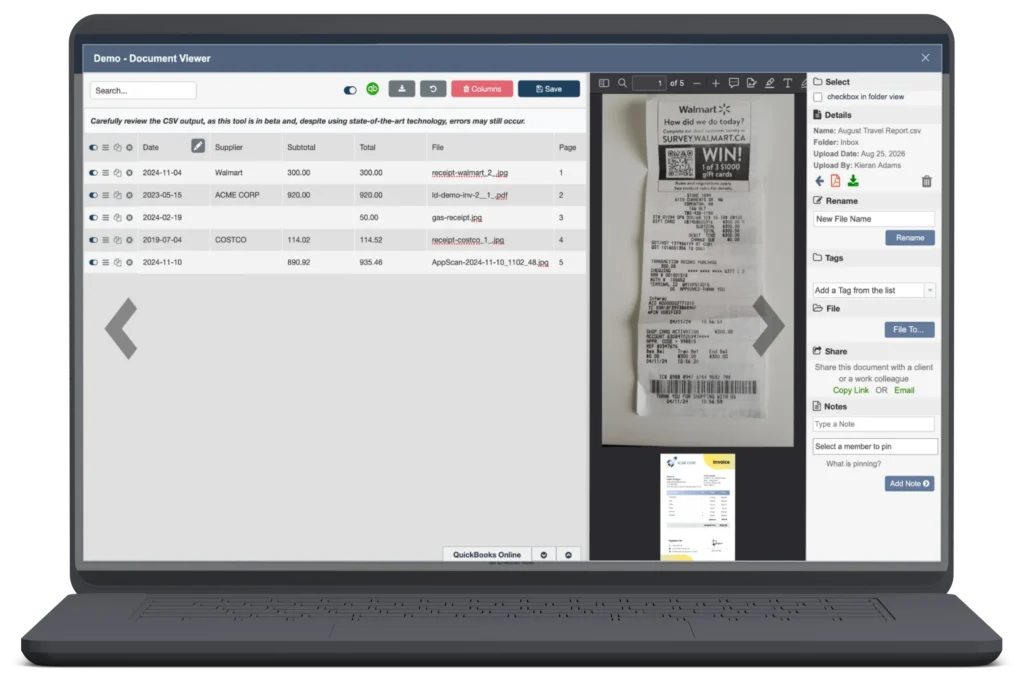
3. Review & Export

Review and edit your report alongside the supporting documents, then export it as a PDF, Word document, CSV, XLSX, and more.

Keep Every Expense Connected to Its Documentation

An expense report is only as useful as the documentation behind it.
LedgerDocs automatically combines your expense report and its supporting documents into one shareable PDF. Each document is assigned a page number in the PDF and linked to the corresponding entry in your report.
Need to verify an expense?
Click the page number and jump straight to the supporting document.
No searching through folders. No hunting for receipts. Your report and documentation stay connected.

Turn Expense Reporting Into a Few Simple Clicks
From selecting documents to creating, reviewing, and exporting your expense report, LedgerDocs takes the repetitive work out of the process. Your documents already contain the information. Let LedgerDocs do the data entry.

Commonly Asked Questions

Welcome to the LedgerDocs FAQs, your one-stop resource for all the information you need to make the most out of our document management system.

An expense report is a record used to organize and summarize business expenses, including details such as vendors, amounts, taxes, and supporting receipts or invoices.
Select the documents you want to include, click Add to Expense Report, and choose whether to create a new report or add to an existing one. LedgerDocs automatically extracts key information and organizes it into an editable report.
LedgerDocs provides an alternative to manually completing an expense report template. Instead of entering information into an Excel spreadsheet line by line, you can select your documents and have LedgerDocs extract the information for you.
LedgerDocs can extract key information such as vendor, customer, subtotal, tax, total, and other available document fields.
Yes. You can export your completed expense report as an XLSX file, as well as PDF, Word, CSV, and other formats.
WEBINAR
LedgerDocs Webinar: Shift Gears – Move from Manual Document Management to Automatic
Saving You Time, Money, and Tears

Get ready to automate!

Join us on September 26 at 11:00 AM to learn how LedgerDocs can help free up an entire day each week by automating document management.

Date & Time: September 26, 2024 at 11:00 am PST
Ready to shift gears?
signup-logo-ledgerdocs

Do You Have a Question?

Let us guide you through its powerful features and answer any questions you might have.

Need Help Onboarding?