Automatically Split Large PDFs Into Separate Documents
Stop sorting through hundreds of PDF pages. Smart Split PDF identifies individual documents within a combined PDF and separates them for you.
Clients send you one large PDF filled with invoices, receipts, statements, and supporting documents. Instead of manually figuring out where each document begins and ends, let LedgerDocs do the sorting.
Stop Manually Finding Every Document
A 200-page PDF shouldn’t mean 200 pages of manual work.
No more scrolling through pages, figuring out document boundaries, creating separate files, and double-checking that nothing was missed.
Smart Split PDF uses document intelligence to identify individual documents within a combined PDF and automatically split them into separate files.
Turn one large, messy PDF into organized individual documents
How Smart Split PDF Works

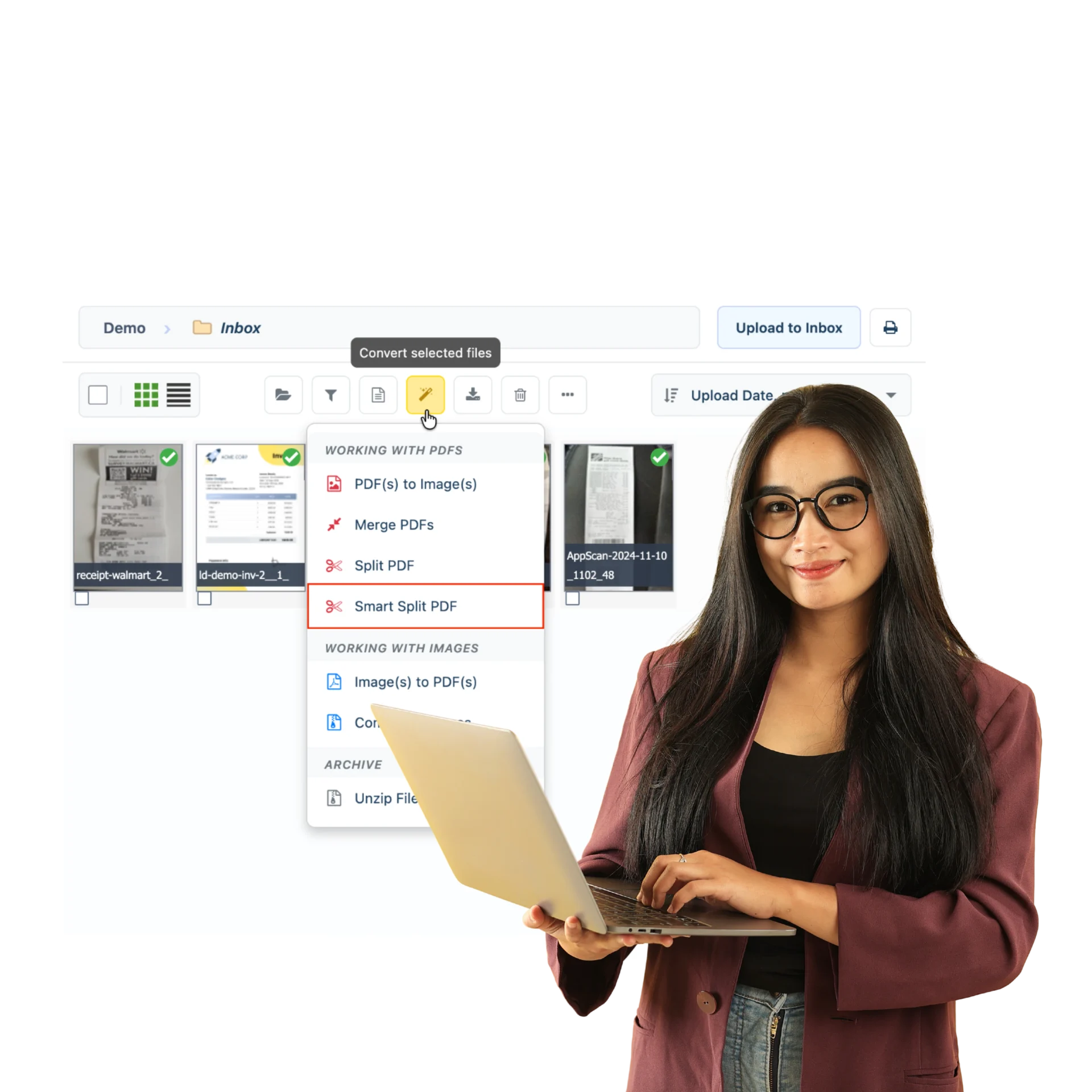
1. Select Your PDF
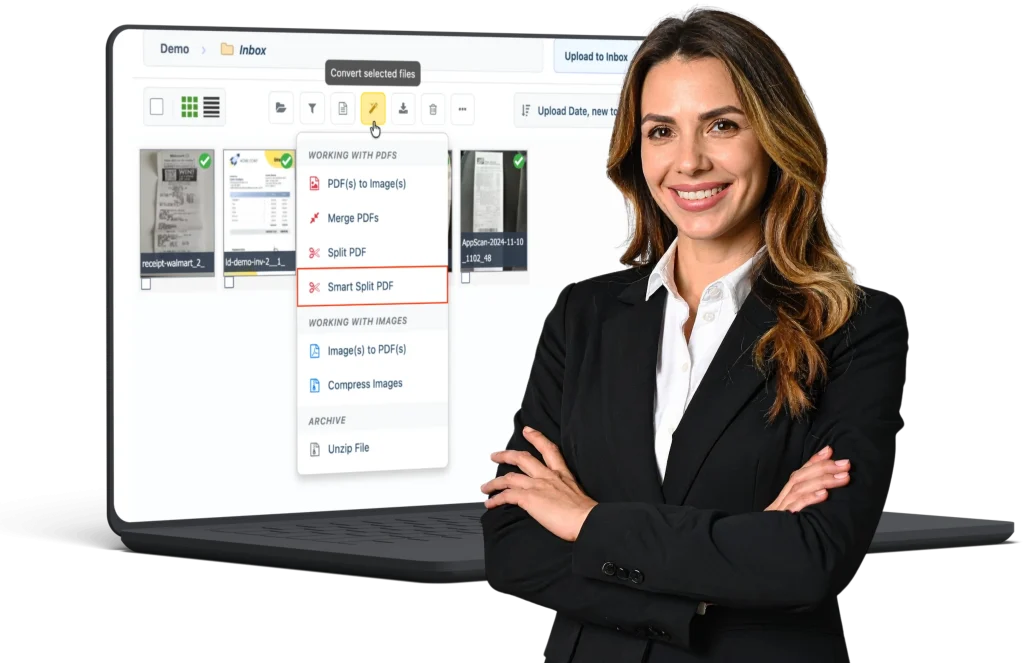
2. Select Smart Split PDF
Click the magic wand icon → Working With PDFs → Smart Split PDF.
3. Let LedgerDocs Find the Breaks
Smart Split analyzes the PDF and identifies where individual documents begin and end. Less sorting. Less scrolling. Less manual work.
Smart Split PDF vs. Split PDF
- Know exactly where the pages should be split? Use Split PDF to choose your page ranges.
- Not sure where one document ends and another begins? Use Smart Split PDF to let LedgerDocs identify the document boundaries for you.
- You choose the pages with Split PDF. LedgerDocs finds the breaks with Smart Split PDF.
Built for the PDFs Clients Actually Send
Smart Split PDF helps you quickly organize large uploads containing:
• Invoices
• Receipts
• Bank statements
• Bills
• Supporting documents
• Mixed financial paperwork
Turn large client PDFs into manageable, organized documents without the manual sorting.